
.png)
Team
2 members
Role
Coversational UX designer
Duration
4 weeks
Conversational campus service bot
designed to help students navigate
Pratt Institute's print services
✴ Conversational UX ✴ Chat bot creation ✴ Voiceflow

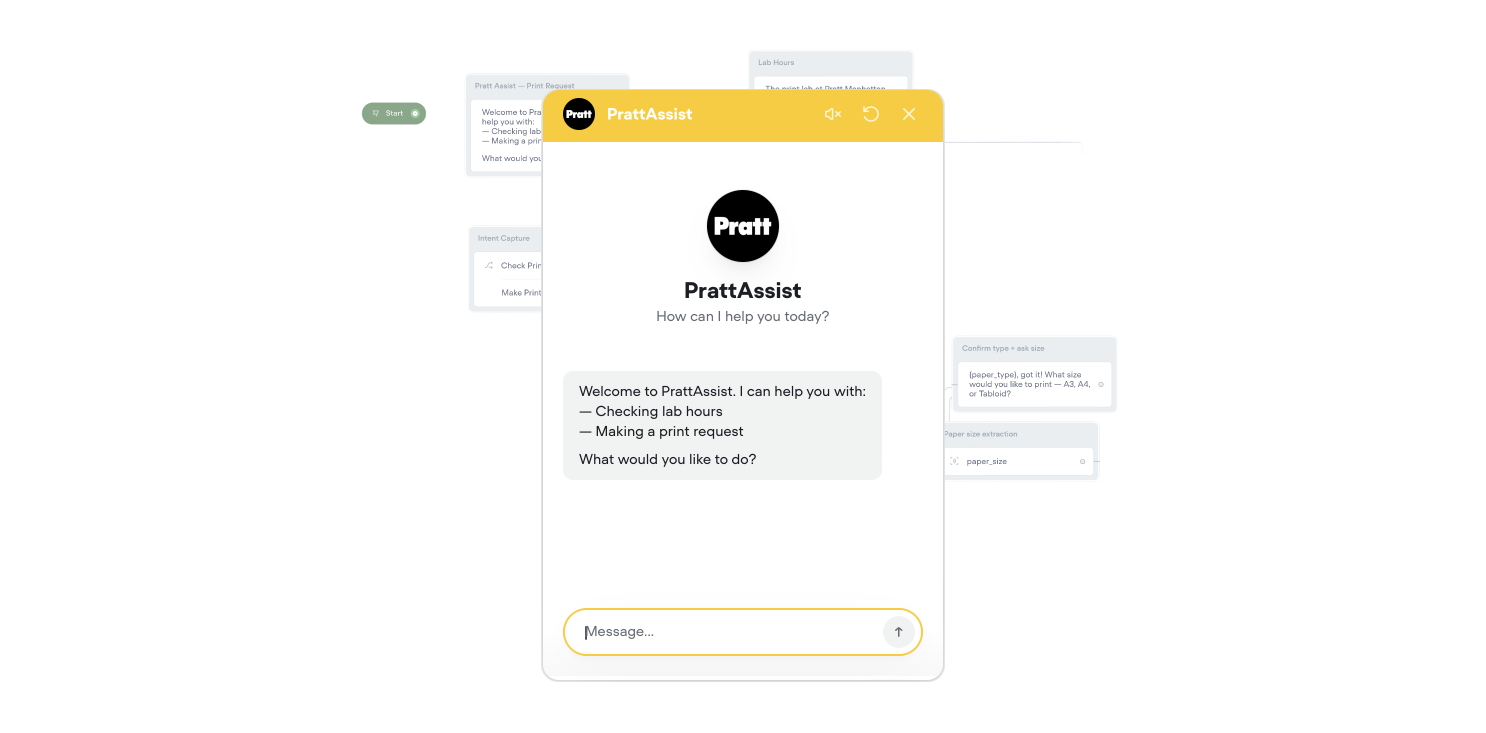

Having spent time working in Pratt's print lab firsthand, I saw how overwhelming the process could get - students unsure of file formats, confused about turnaround times and staff handling the same questions repeatedly during crunch periods and the intake process was a constant source of friction.
Rather than patching the problem with a static FAQ page, I wanted something that could actually meet students where they are - guiding them through print requests step by step, in plain conversation. A tool that handles the repetitive, logistical side of things so the lab can focus on the printing.
As one of the conversational designers on this project, I was responsible for shaping the entire dialogue experience within Voiceflow - mapping out user flows, writing the bot's responses, and designing the decision trees that guide students through the print request process. This meant thinking carefully about how a real conversation unfolds: anticipating where students might get confused, crafting language that felt approachable rather than robotic, and structuring each interaction so it moved forward naturally without dead ends.
✴ Give students a single, accessible point of contact for all print-related questions
✴ Guide users through print requests in a step-by-step, conversational format
✴ Reduce incomplete or unclear submissions reaching lab staff
✴ Minimize wait times and in-person confusion during high-traffic periods
✴ Create a smoother, more consistent experience across all student interactions with the lab
Collect print job details (paper type, size, quantity, file).
Show available materials and sizes.
Calculate and confirm cost before submission.
Submit the print request automatically to the lab queue.
Provide the lab's hours and calculate pick up time
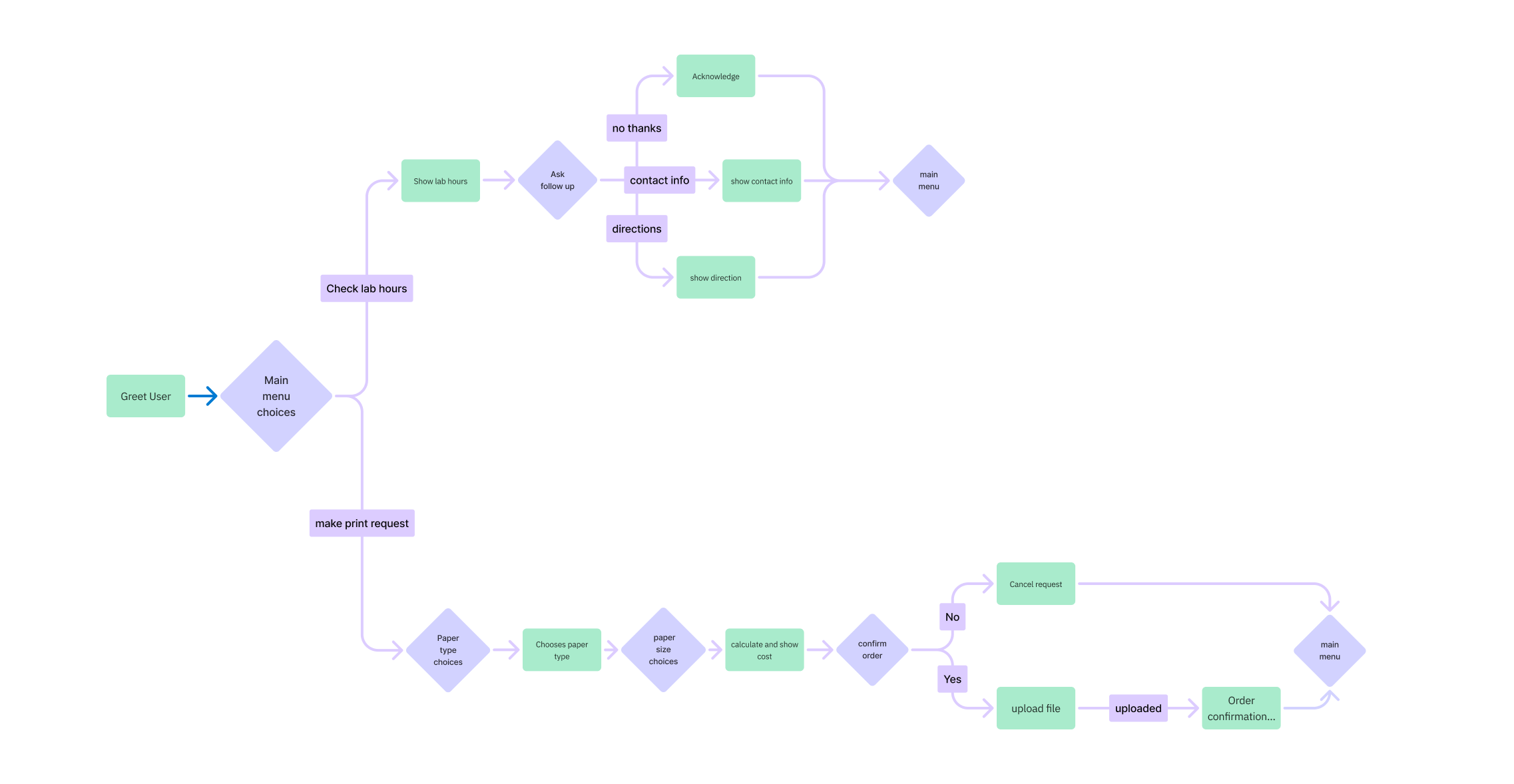
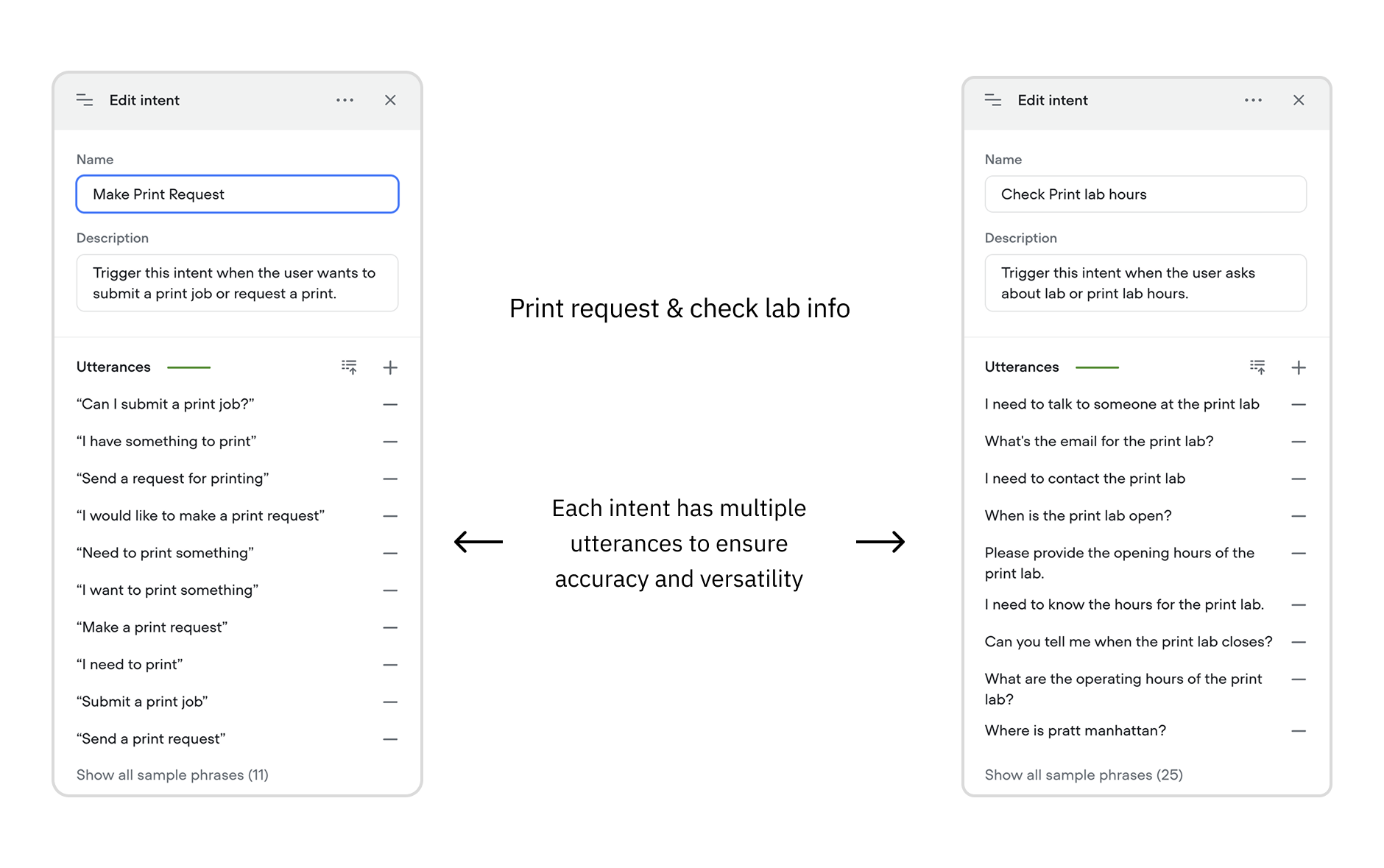
Pratt Assist is built around two main intents: one for general lab information covering hours, directions, and contact details and one for the core experience: making a print request.
An intent, in conversational design, is the goal or purpose behind what a user is saying. When someone types a message, the bot doesn't just read the exact words, it identifies the underlying intent and routes the conversation accordingly.
The general info intent serves as a quick-access layer, allowing students to get answers to common logistical questions without any back-and-forth. The primary flow, however, is the print request process. Once a student indicates they want to submit a request, the bot walks them through each decision sequentially - starting with paper type, moving into size selection, and finally presenting a cost confirmation before the request is submitted to the lab.
A key part of the conversational design work was building out a wide range of utterances for each intent - accounting for the many different ways a student might phrase the same request.
Whether someone types "I want to print something," "can I submit a print job," or "I need to get something printed," the bot is trained to recognize the intent behind the message and respond appropriately.
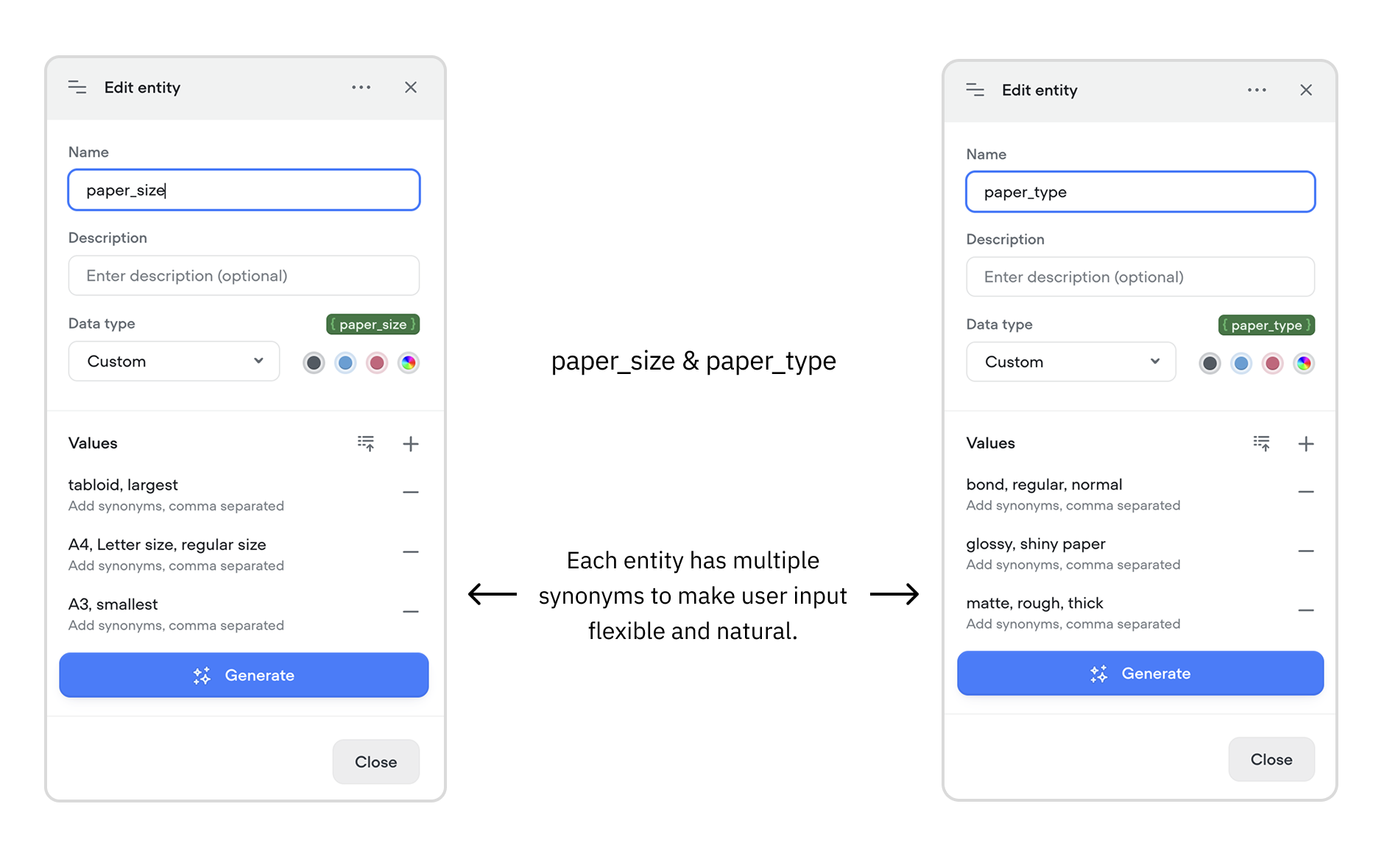
Entities are specific pieces of information the bot needs to extract from a conversation.
In Pratt Assist, the two core entities are paper_type and paper_size, both essential to processing an accurate print request.
For each entity, a range of synonyms was mapped out to reflect how students naturally describe materials rather than using technical terms. Someone might say "shiny paper" instead of glossy, or "rough paper" instead of matte, the bot recognizes these variations and accurately maps them to the correct option without asking the student to rephrase.
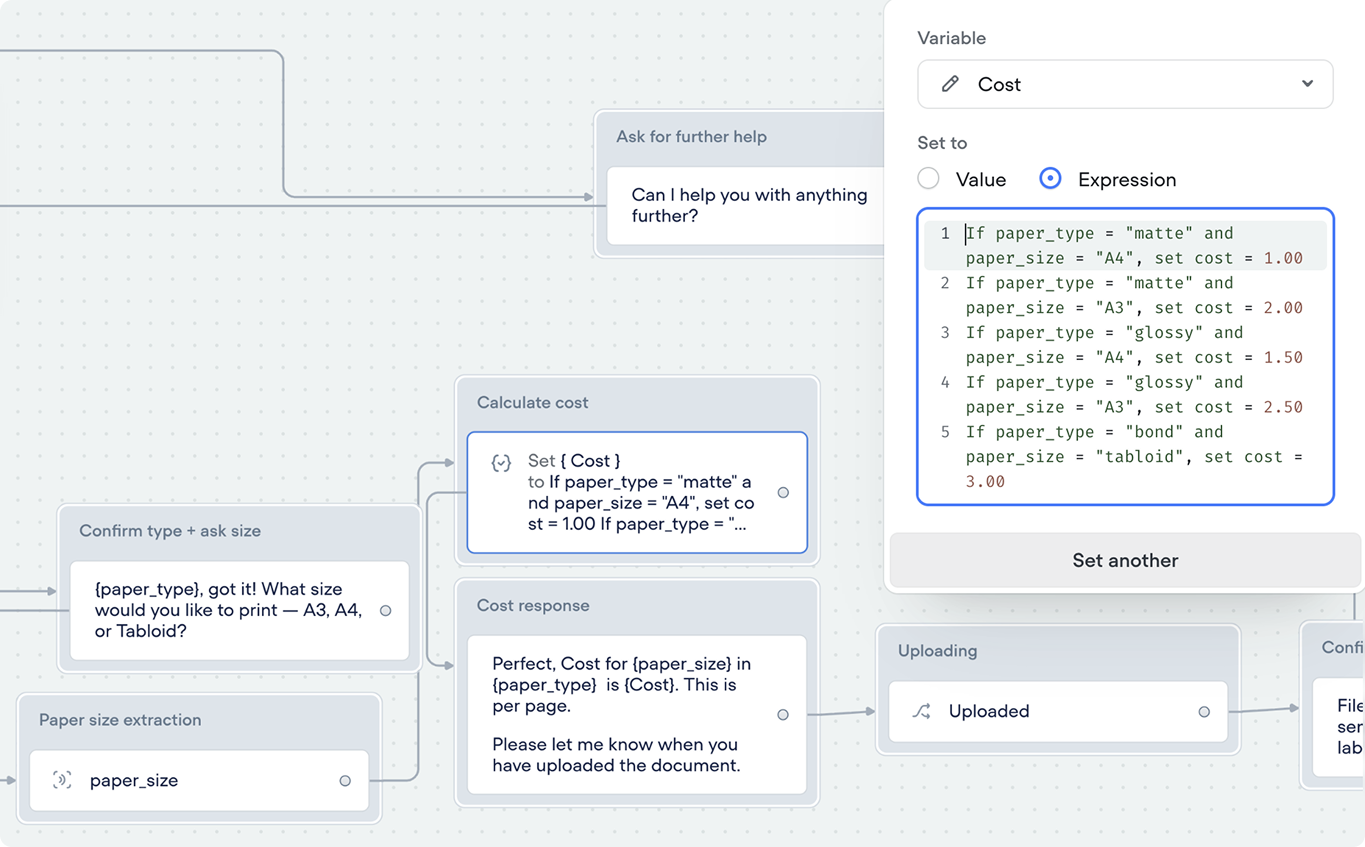
Once the student's paper type and size are captured, the bot automatically calculates the cost using a simple if-else expression set on a {Cost} variable. The logic checks each combination of paper type and size and assigns the correct value accordingly.
The Prototype
